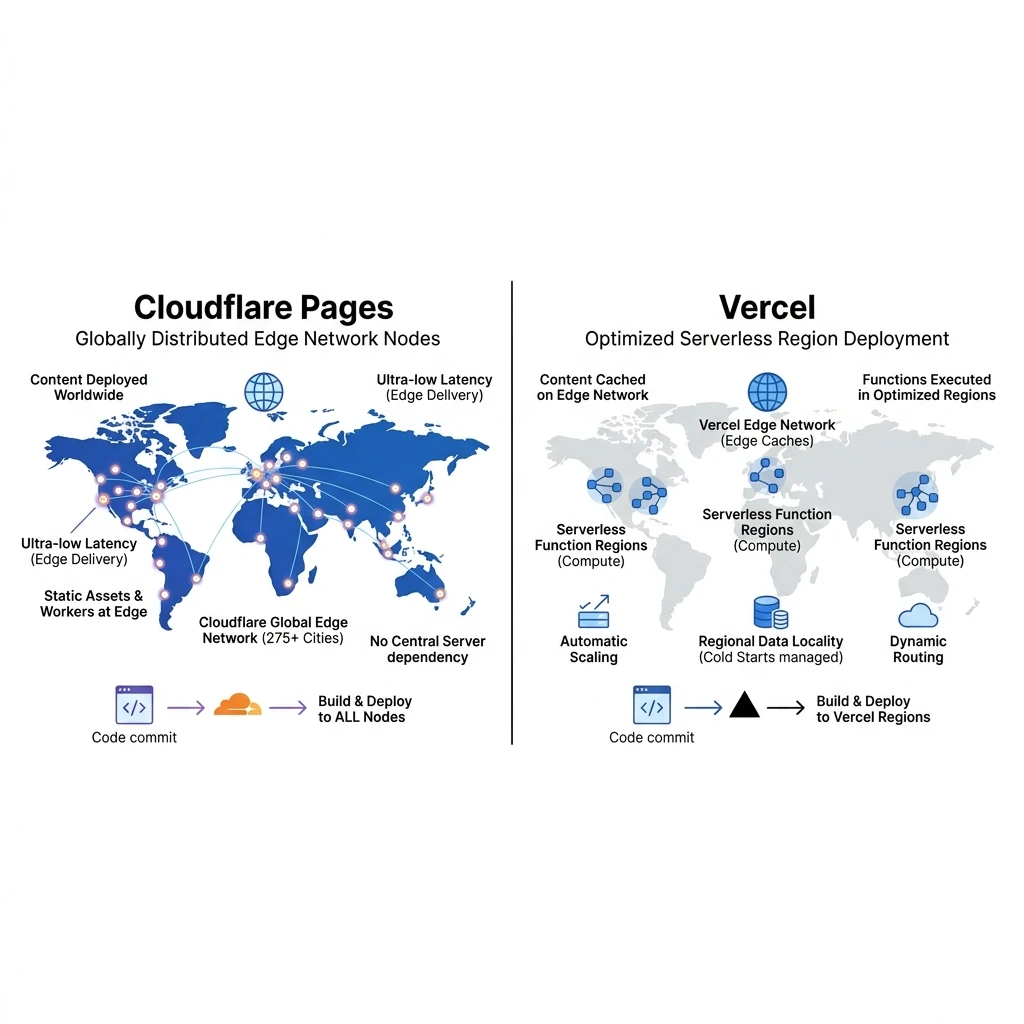
Cloudflare Pages serves static React assets directly from edge data centers without routing requests through centralized serverless middleware, reducing global Time to First Byte (TTFB) to under 50 milliseconds. Vercel remains a strong option for SSR applications due to its optimized serverless integration, but it can introduce cold start latency for static sites.
Choosing a hosting provider for your React application is key to maintaining fast load times. While legacy shared servers are slow, modern serverless platforms like Cloudflare Pages and Vercel offer global distribution. However, they manage assets and routing differently, which affects loading speed and operational costs.
1. Architecture and Asset Caching
Cloudflare Pages is built on Cloudflare's global edge CDN network, which includes data centers in over 300 cities worldwide. When you deploy a static React site to Cloudflare Pages, your assets are distributed directly to all edge locations, allowing users to download them from the nearest node with minimal latency.
Vercel relies on centralized server clusters (typically AWS regions like us-east-1) and routes requests through its own Edge Network. While static files are cached at edge locations, cache misses require routing requests back to the primary server cluster, which can introduce routing delays for global users.
2. Configuring Client-Side Routing (SPAs)
To host a React Single Page Application (SPA) that uses client-side routing (like
react-router-dom), you must configure your hosting provider to redirect all requests to your
entry file (index.html). If you don't set this up, refreshing the page on a sub-route will return
a 404 error.
You can configure these routing rewrites by adding a configuration file to your project root:
// For Cloudflare Pages: Create a '_redirects' file in the public build folder
/*  /index.html  200

// For Vercel: Create a 'vercel.json' file in the project root
{
  "rewrites": [
    { "source": "/(.*)", "destination": "/index.html" }
  ]
}
Both setups ensure that routing requests are handled by the React application in the browser, preventing server-side 404 errors and keeping navigation seamless for visitors.
Vercel vs. Cloudflare Pages Matrix
- Global Edge Network: Cloudflare (Direct edge distribution) vs. Vercel (Edge cache with regional origins).
- Serverless Cost Limits: Cloudflare Pages (Unlimited free requests) vs. Vercel (Usage-based limits).
- React SPA Routing: Configured via
_redirects(Cloudflare) vs.vercel.json(Vercel). - Build Performance: Vercel (Fast build triggers) vs. Cloudflare (Slightly slower build queues).
3. Choosing the Right Provider: Decision Tree
Use this decision framework to select the right hosting path for your application:
Does your React application require dynamic server-side rendering (SSR)?
  ├── YES ──> Choose Vercel (Optimized for dynamic Node runtimes)
  └── NO
       └── Do you require global caching with no serverless request limits?
            ├── YES ──> Choose Cloudflare Pages (Static Edge Caching)
            └── NO  ──> Vercel (Jamstack pipeline)
For statically generated React sites, Cloudflare Pages offers a fast, cost-effective hosting solution. For a guide on optimizing your Vite build bundles before deploying to either platform, see our article, How to Optimize React Website Performance.
We build optimized, edge-hosted websites that load instantly. Learn more about our web engineering capabilities on our Custom Website Development Service page, or contact us to discuss your hosting strategy.