A website that takes five seconds to load on a mobile device loses over 40% of its visitors before the first pixel even renders. For businesses seeking a custom web development company in Pune, choosing between a bloated WordPress template and custom-engineered React code is a direct choice between user leakage and conversion growth.
Pune has grown into a hub for tech companies, SaaS startups, and high-growth manufacturing firms. Yet, many local businesses still rely on generic page builders (like Elementor or Divi) to establish their digital presence. While these builders allow rapid assembly, they compile layers of nested divs and duplicate scripts that overload mobile browsers. A custom frontend engineered with React and TypeScript eliminates this bloat, rendering instantly on any mobile connection.
1. The Mathematics of Site Speed and Customer Lead Leakage
Page speed is not a vanity metric; it is a financial driver. When users click an ad or a local organic search listing, they expect immediate feedback. Every millisecond of delay increases user frustration, leading to high bounce rates and wasted marketing spend.
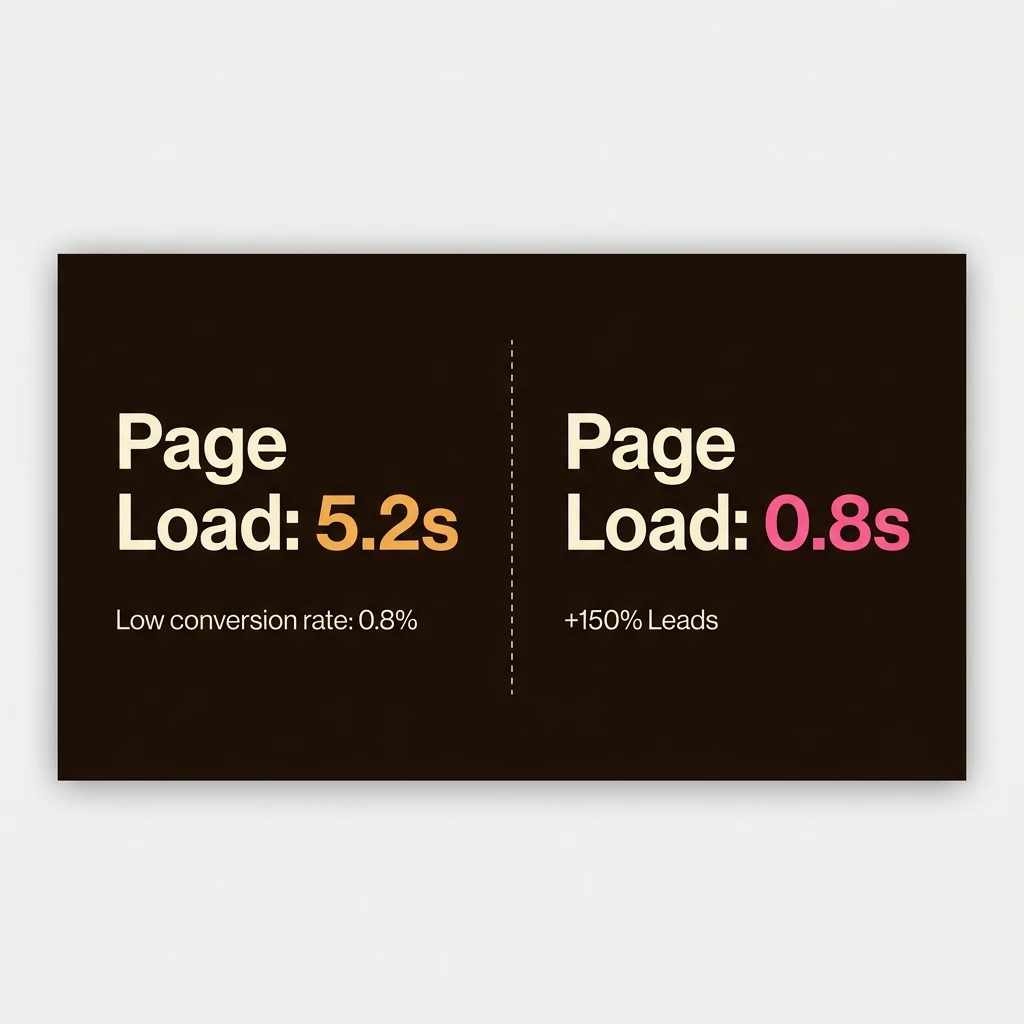
The correlation between page speed and conversion is well-documented. According to performance audits, a site loading in under 1 second converts at three times the rate of a site taking 5 seconds. In Pune's competitive commercial landscape, local companies targeting keywords like custom web development company pune need high-performance frontends to capture leads before they bounce to competitors.
[Page Load Time] ──> [Conversion Result]
  ├── 0.8 seconds  ──> 7.9% Conversion Rate (High Customer Trust)
  ├── 3.0 seconds  ──> 3.2% Conversion Rate (User Leakage Starts)
  └── 5.2 seconds  ──> 1.1% Conversion Rate (40%+ Traffic Bounced)
For a business generating 10,000 monthly visits, shifting from a 5.2-second load time to a custom-engineered 0.8-second load time can lift monthly customer leads from 110 to 790 without increasing ad spend. Custom React builds achieve this by optimizing the Critical Rendering Path, ensuring content renders instantly.
2. DOM Bloat: The Core Technical Bottleneck of Visual Page Builders
Why do WordPress and template site builders perform so poorly on mobile devices? The answer lies in how visual builders construct layouts. To allow non-technical editing, builders generate highly nested container trees (known as DOM bloat) to wrap basic headings and paragraphs.
When a mobile browser downloads a page, the device’s CPU must parse and compile this HTML tree into a DOM structure. If the DOM tree exceeds 1,500 nodes, low-end mobile processors choke. This causes thread blocking, rendering delays, and jerky touch scrolling.
<!-- Bloated WordPress Builder Structure for a single Call-to-Action button -->
<div class="elementor-element elementor-widget elementor-widget-button">
  <div class="elementor-widget-container">
    <div class="elementor-button-wrapper">
      <a href="/contact" class="elementor-button-link elementor-size-md">
        <span class="elementor-button-content-wrapper">
          <span class="elementor-button-text">Get Started</span>
        </span>
      </a>
    </div>
  </div>
</div>

<!-- Semantic Custom React / HTML equivalent -->
<a href="/contact" class="btn-primary">Get Started</a>
Bespoke React structures contain only the semantic elements needed to style and run the component. By discarding visual wrapper divs, a custom-coded page reduces total DOM size by over 70%, allowing instant render speeds on mobile devices.
3. Case Study: Rebuilding My Design Academia for 150% Lead Growth
The differences between templates and custom code are demonstrated in our rebuild of My Design Academia, a design education studio based in Pune. Their original site was built on WordPress and Elementor. It suffered from slow mobile speeds, taking over 6 seconds to load, and had a low search engine visibility.
We replaced their entire template setup with a custom React frontend, compiling static assets with Vite and hosting them on edge CDNs. The results were immediate:
Performance Upgrade Metrics: My Design Academia
- Lighthouse Mobile Score: Lifted from 32 (Red) to 98 (Green).
- Mobile Page Load Time: Dropped from 6.4 seconds to 0.9 seconds.
- Total DOM Nodes: Reduced from 2,130 nodes to 410 nodes.
- Business Outcome: A 150% increase in student enrollment leads in the first month post-launch.
By optimizing the mobile load speed, the site ranked higher on local Pune searches and kept organic visitors on the page, transforming search traffic into active customer inquiries. Read the full details in our My Design Academia Case Study.
4. The Hidden Costs of Template Maintenance: Plugins, Security, and Edge Caching
Visual page builders often appear cost-effective initially. However, long-term maintenance costs tell a different story. Templates rely on multiple third-party plugins to support simple features like contact forms, SEO markup, image compression, and caching.
This reliance creates a complex dependency system. Every new plugin introduces security vulnerabilities and code conflicts. In contrast, custom React applications rely on direct frontend compilation. By encoding logic into the component structure, custom builds require zero security or caching plugins, ensuring a secure and stable build.
Static Site Generation (SSG) and Edge CDN Delivery
Traditional CMS sites require a database lookup every time a user visits a page. This server-side execution increases load times under heavy traffic. Custom React builds pre-render pages into static HTML files during compilation. These static files are distributed to global edge CDNs, allowing visitors to load the site from the closest edge server instantly.
5. A Technical Checklist for Pune Businesses Choosing a Web Development Partner
When evaluating a web design company in Pune, look beyond mockups. Ask technical questions to ensure your website is built for speed and conversions:
- What is the target mobile DOM size? If the partner cannot answer, or says over 1,500, they are using bloated page templates.
- How is the CSS compiled? Look for partners using modern utility frameworks like Tailwind CSS, which compile only the styles actually used, keeping file sizes light.
- Is the site statically pre-rendered? Ensure the site is built using static compilation (Vite static export or Next.js static generation) to deliver pages instantly from global CDNs.
At Pizzascript, we build custom, high-converting websites for businesses. Learn more about our custom engineering on our Custom Website Development Service page or read our React vs. Next.js Framework Comparison to see which tech stack fits your project.