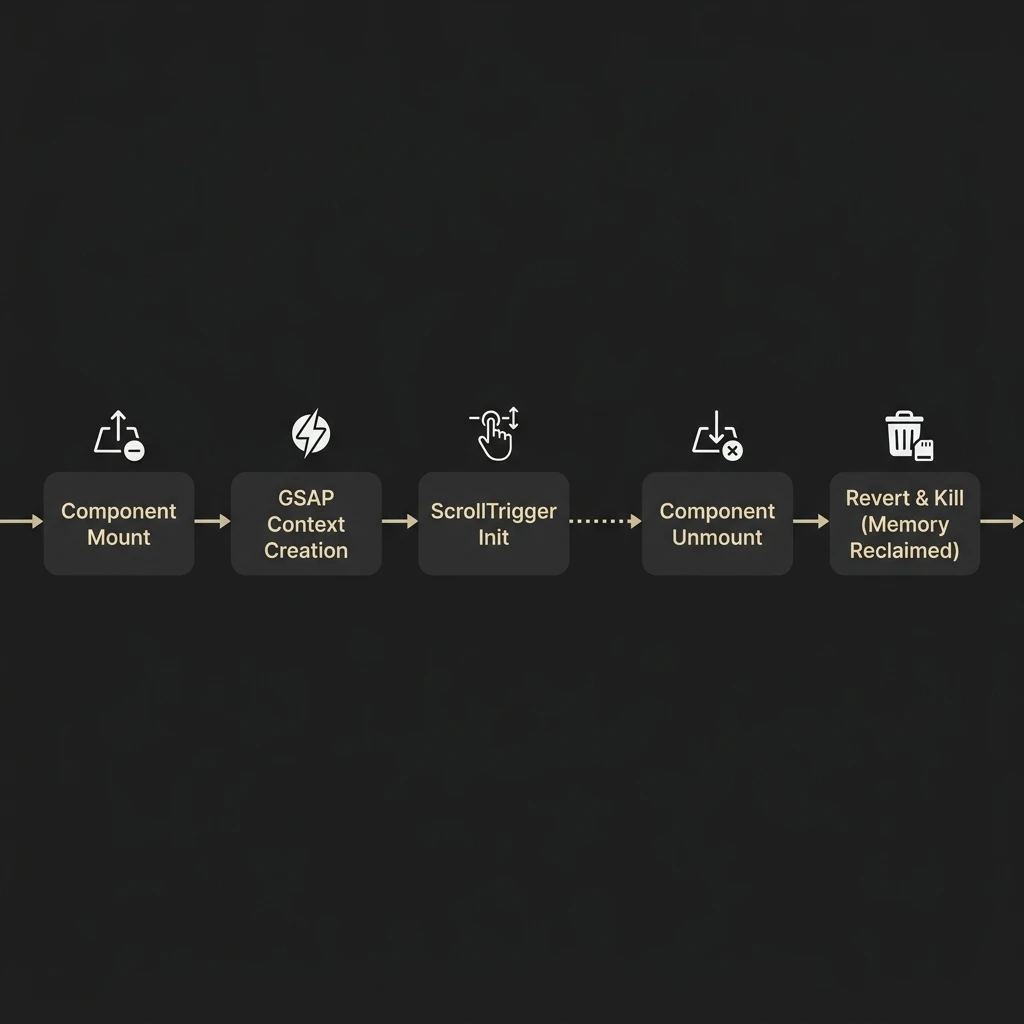
Failing to clean up GSAP ScrollTrigger animations during React component unmount cycles leaves orphaned trigger event listeners in memory, causing severe scroll lag and layout calculation conflicts. Using GSAP's context scoping API ensures that all animation triggers are disposed of automatically when a component unmounts.
React's component lifecycle conflicts with GSAP's animation updates. React creates and destroys DOM nodes dynamically, while GSAP targets elements directly on the DOM and attaches event listeners to window scroll events. If React destroys an element but GSAP continues to track its scroll position, the browser throws layout errors, causing animation glitches and memory leaks.
1. The React Animation Cleanup Problem
In vanilla JavaScript, you initialize animations directly and clean them up manually. In React, you must
manage animations within component lifecycles using the useLayoutEffect hook. This hook executes
synchronously after DOM mutations but before the browser paints the screen, preventing animation flash.
To ensure clean garbage collection, we use gsap.context(). This helper groups all GSAP
animations created within a specific component scope, making it easy to revert and clean up all animations in
a single function call:
import React, { useLayoutEffect, useRef } from 'react';
import { gsap } from 'gsap';
import { ScrollTrigger } from 'gsap/ScrollTrigger';

gsap.registerPlugin(ScrollTrigger);

export const AnimatedHero: React.FC = () => {
  const containerRef = useRef<HTMLDivElement>(null);

  useLayoutEffect(() => {
    // Initialize GSAP Context scope
    const ctx = gsap.context(() => {

      gsap.from('.fade-item', {
        opacity: 0,
        y: 50,
        stagger: 0.2,
        scrollTrigger: {
          trigger: '.fade-item',
          start: 'top 80%',
          end: 'bottom 20%',
          scrub: true
        }
      });

    }, containerRef); // Scope selectors to this container ref only

    // Clean up all animations on unmount
    return () => ctx.revert();
  }, []);

  return (
    <div ref={containerRef} className="hero-container">
      <h1 className="fade-item">High Performance Animations</h1>
      <p className="fade-item">Smooth, layout-safe transitions.</p>
    </div>
  );
};
Defining `containerRef` as the context scope ensures that GSAP only selects sub-elements within this
component. This avoids selecting components on other pages, which can cause target errors. The return function
calls ctx.revert(), removing all scroll listeners and restoring elements to their pre-animated
states.
2. Handling React's Strict Mode Double Mount
In development mode, React's Strict Mode mounts components, unmounts them, and remounts them immediately to detect side effects and memory leaks. If you do not configure cleanup correctly, your scroll triggers will initialize twice, causing animations to overlap and trigger at the wrong scroll positions.
Because `ctx.revert()` runs on unmount, it handles this double-mounting process automatically. This keeps your development and production environments consistent and prevents rendering conflicts.
Best Practices for GSAP in React
- Always use
useLayoutEffectinstead ofuseEffectto prevent animation layout shifts. - Scope selectors using
gsap.context(..., containerRef). - Always return a cleanup function that calls
ctx.revert(). - Do not animate CSS properties that trigger browser layout cycles (like
top,left, ormargin). Use hardware-accelerated transforms (likex,y, andscale).
3. Re-calculating Triggers on Layout Changes
If your application content loads dynamically (like fetching data or rendering conditional components), the page height changes. This invalidates GSAP's scroll position calculations, causing triggers to fire at the wrong scroll positions.
To fix this, call ScrollTrigger.refresh() whenever your component state changes or new data is
rendered, ensuring GSAP recalculates trigger positions based on the updated document layout.
For more advanced interaction configurations, smooth scroll libraries can improve performance. Learn how to combine GSAP with smooth scrolling in our companion guide, Lenis Smooth Scroll React Integration Guide.
If you're looking to build an interactive digital experience, we can help. Learn more about our custom work on our Custom Website Development Service page, or contact us to discuss your design.